
Support — EU Compliance Kit
Typical reply within one business day (Central European Time).
EU Compliance Kit for Wix
- Setting it up, or a block not showing? Start with the setup guide (Deutsch): what appears on your product page by itself, how to add or remove a plugin in the Editor, where the withdrawal button goes, what to fill in for each rule, and a checklist for when something does not show.
- Still stuck? Write to support+eucompliance-wix@justarobot.online with your site's address and what you expected to see.
- Where it is: in the Wix App Market and, once installed, in your site's dashboard under Apps.
- Free on every plan: Omnibus prior price, withdrawal button, EU legal guarantee notice, price line (VAT and shipping, or § 19 UStG), one delivery time for every product, battery and e-waste notices.
- Pro ($12.99 a month): GPSR safety details, the GARAN durability label, delivery times per product, price history and CSV export. Food and Drink ($9.99): food information with allergens and nutrition. Pro + Food and Drink ($19.99) has both. 15% less billed yearly; Wix shows the price in your currency.
- Its privacy policy and terms are separate from the Shopify ones.
We build the app with you
EU Compliance Kit is a small product with short paths. Requests and feedback from real shops go straight into the next version.
EU Compliance Kit for Shopify
One plan, nothing held back: $12.99 every 30 days after a 14-day free trial, billed through Shopify, cancelled by uninstalling. The Omnibus prior price, GPSR safety details, the withdrawal button and the EU guarantee notice are all included — there is no free plan and no "Pro" on Shopify; the free/Pro split above is the Wix app's. Development stores use it free.
Write to
support+eucompliance@justarobot.online.
Include your store's .myshopify.com domain and, if it's about a specific
product, a link to it — that lets us look at the right price history or
safety record straight away.
We build the app with you
EU Compliance Kit is a small product with short paths. Errors in the app report themselves to us automatically — often we know before you write. Requests and feedback from real shops go straight into the next version.
Getting started
A 100-second walkthrough, from install to the storefront:
Playing loads the video from YouTube (Google), which sends data to Google. Privacy
Install the app. It creates the metafield definitions it needs and records your prices for the first time.
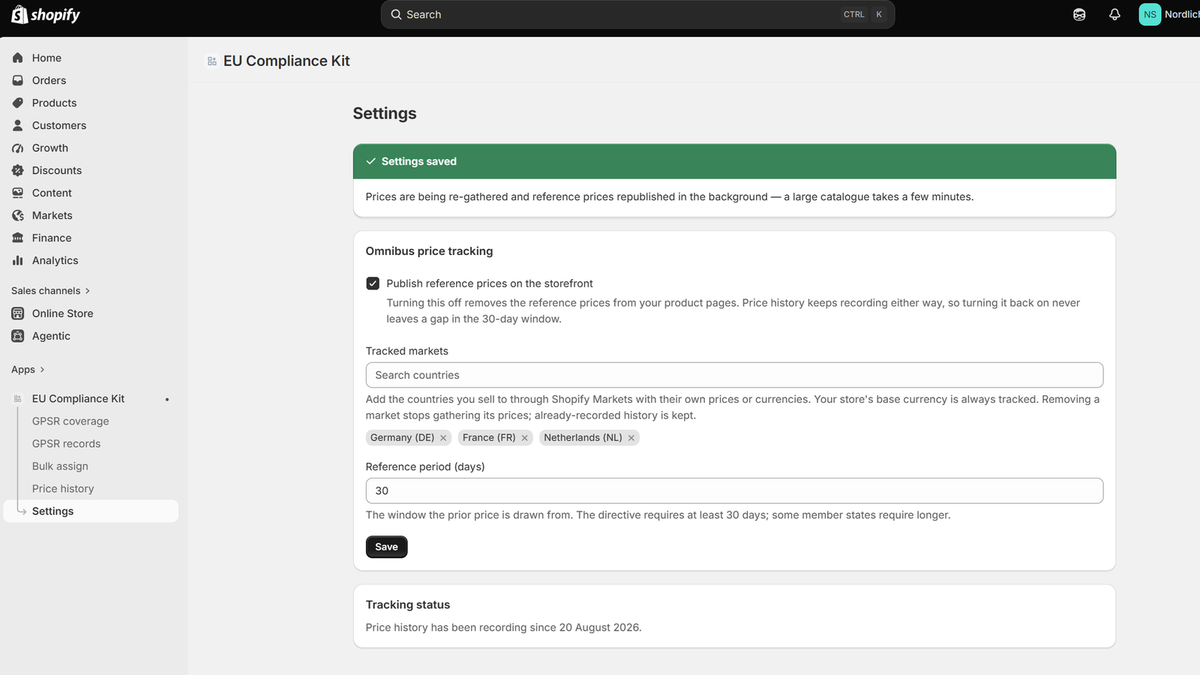
Open Settings and add the markets you sell to with their own currency. Your base currency is always tracked.
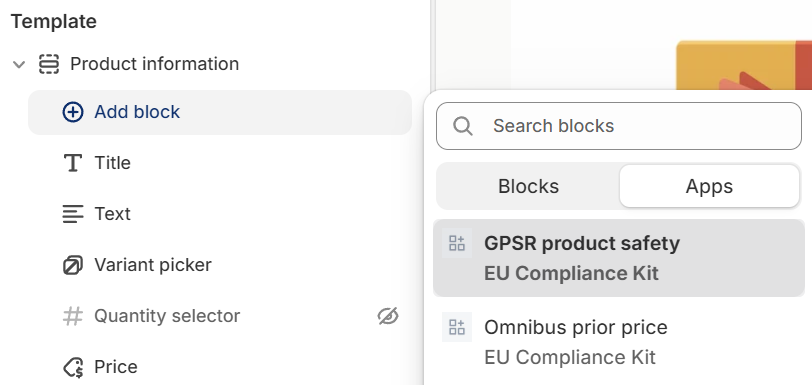
Place the blocks. In the theme editor, open a product template and click Add block inside the Product information section — not "Add section → Apps", which puts them in their own full-width section further down the page. Add Omnibus prior price under the price and GPSR product safety where you want the disclosure. Save.
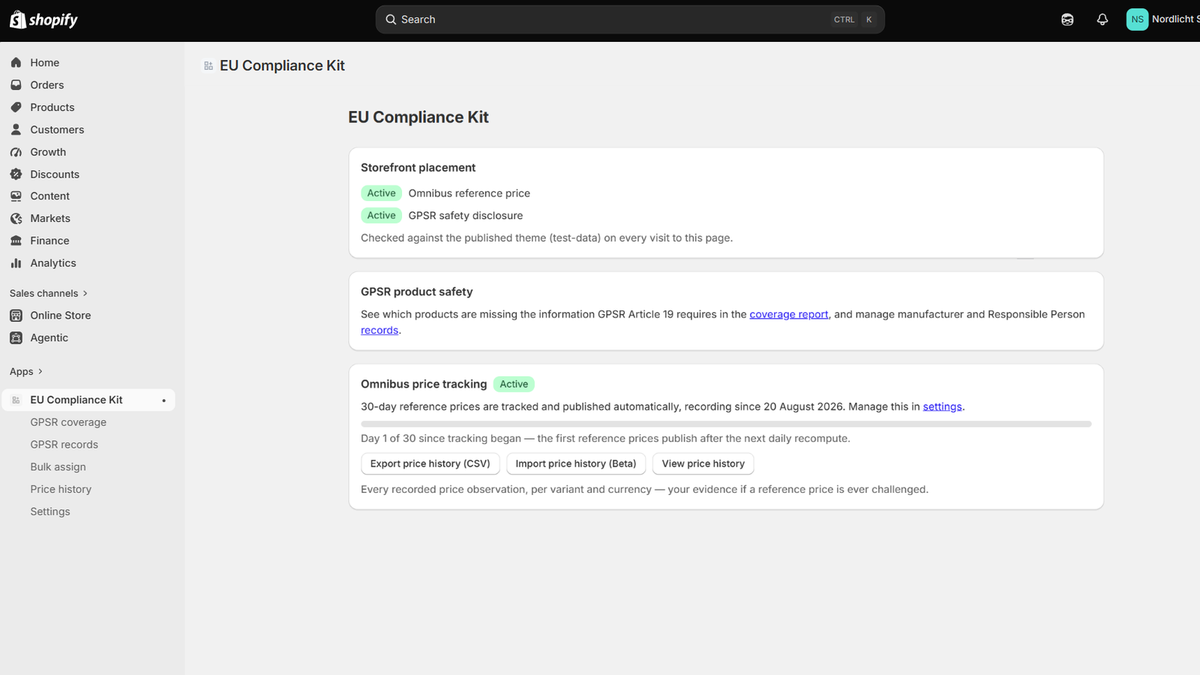
Check the dashboard. Both blocks should read Active. If one reads Not placed, it isn't on your published theme yet.
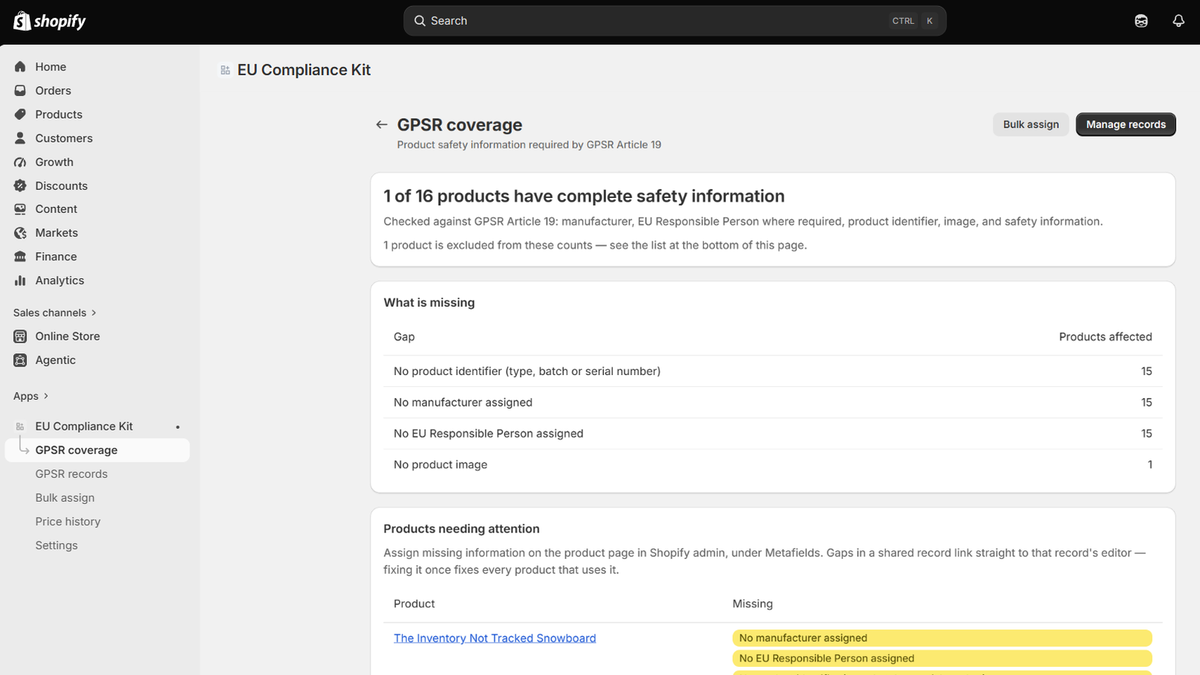
Add safety records. Under GPSR records, create your manufacturers and EU Responsible Persons, then assign them to products (in bulk if you like). The coverage report shows what's left.
Questions merchants ask
Is there a free plan on Shopify? Which features are paid? No free plan, and nothing is paywalled inside the app: one plan at $12.99 every 30 days covers every feature, and the first 14 days are free. Shopify shows the charge and the trial end date on the approval page right after install; nothing is charged until the trial ends, and uninstalling cancels it. The "Free" and "Pro" labels you may have seen on this site belong to the Wix app.
Why does the badge say "lowest price since tracking began"? Because the product doesn't have 30 days of history yet. The app only knows prices from the day you installed, so it says so rather than implying a full month. After 30 days the label switches automatically. If you have earlier prices you can attest to, import them under Price history → Import.
How do I import prices from before I installed?
Start with an export: Dashboard → Export price history (CSV). That file
is the import template — one row per recorded price, with the columns the
importer expects (variant_gid, currency, price_minor_units or
price, observed_at) and the variant ID of every product in your store.
Add a row for each earlier price change (the price is taken to hold
until the next row), keep the header, then upload it under Price history
→ Import and confirm the attestation. Only import prices you actually
charged in that currency; converted or display-only figures must stay
out. Imported prices can lower or extend a reference price, never raise
it above what the app has seen itself.
Does it handle discount codes? No. The prior price is based on the variant's listed price and compare-at price. Discounts applied in the cart aren't part of what's shown on the product page, and the app doesn't track them.
Multiple currencies and markets? Yes. Each tracked currency has its own history and its own 30-day low; nothing is converted. Add markets in Settings.
Will it slow my storefront? No. The blocks read metafields that Shopify serves with your page. Nothing on your storefront calls our servers.
Can I show this only to EU visitors? Yes — each block has an "Only show to visitors in the EU/EEA" setting in the theme editor. It follows the storefront's country selector, not IP address, and an unknown country shows the information rather than hiding it.
A product is missing GPSR information in one language. The coverage report lists every product and the language it's missing safety information for. Fix the entry in the product's GPSR section and the report clears on the next refresh.
Which products are in scope? Physical products sold into the EU. Gift cards are excluded automatically. Digital products and services you exclude yourself from the product page (so every exclusion stays visible in the coverage report), and you can override any product's scope the same way.
What happens to my data if I uninstall? Your price history is deleted after Shopify's 48-hour redaction window. Export it first from the dashboard if you want to keep it.
Is this legal advice? No. The app helps you display the information these rules call for. If you're unsure what your store needs to show, ask a lawyer who knows your markets.